
Fewer ads.
More play.
Your phone is for the things you enjoy.
Pause helps keep the ads out of the way.
A simple ad blocker for Android games, apps and browsing. Turn it on. Get back to your day.
Free, always yours. Android 8+ · 0.4.4
APK download stats on GitHub ↗
Then back to it.
Made for my own phone.
Shared for yours.
Free & open source
Your data stays yours
English · Italiano · Español
Less to set up.
More to enjoy.
Open Pause, turn on protection, and return to your apps. The extra controls are there when you need them.
One place to start.
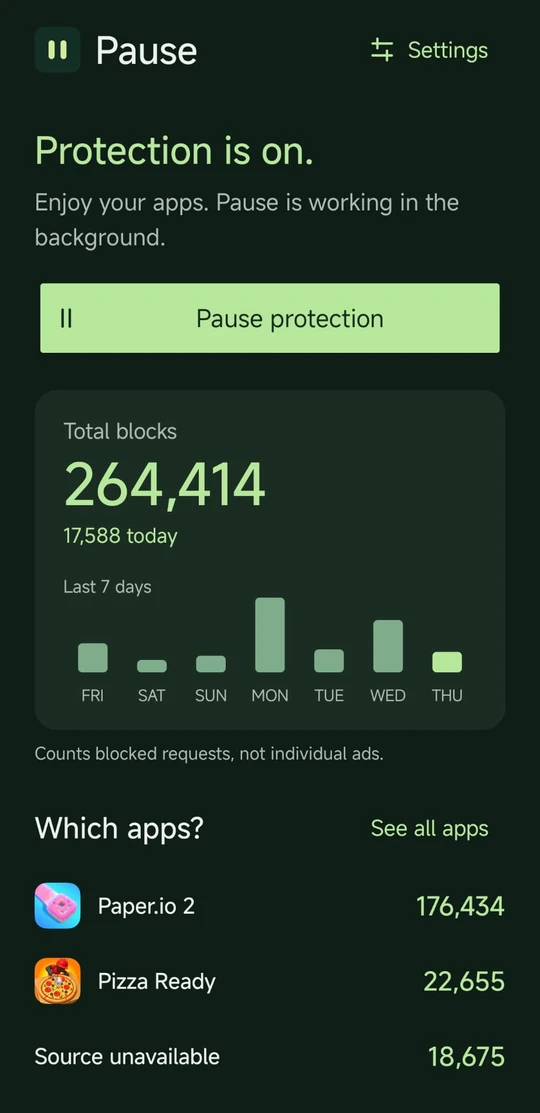
Turn protection on or off. See what Pause has blocked, right on the home screen.
Make it feel like you.
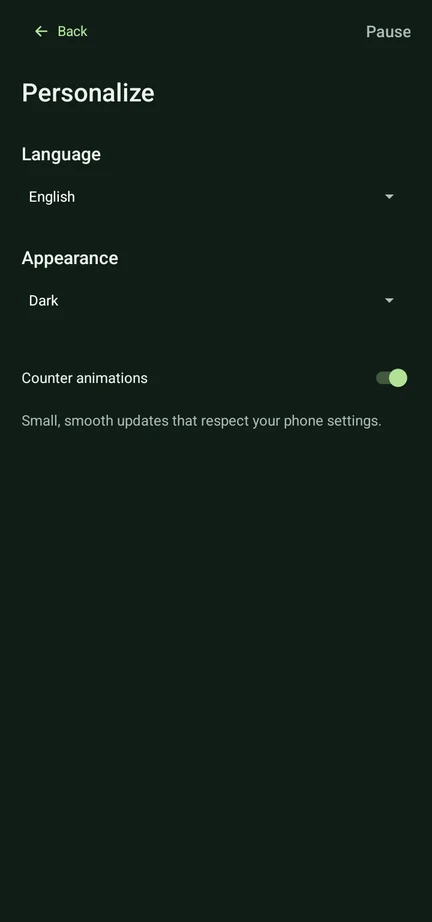
Light or dark. Three languages. Simple choices, without changing your phone.
A little help, built in.
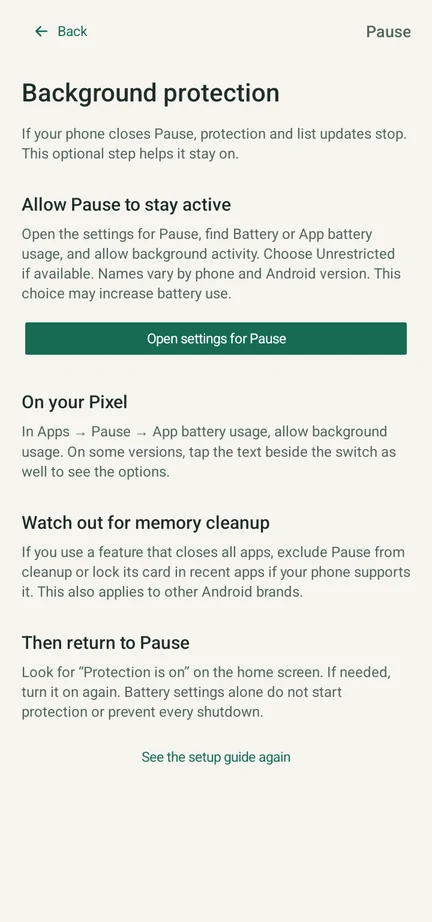
Easy setup and battery guidance for Samsung, Xiaomi, Pixel and other Android phones.
See more app screens
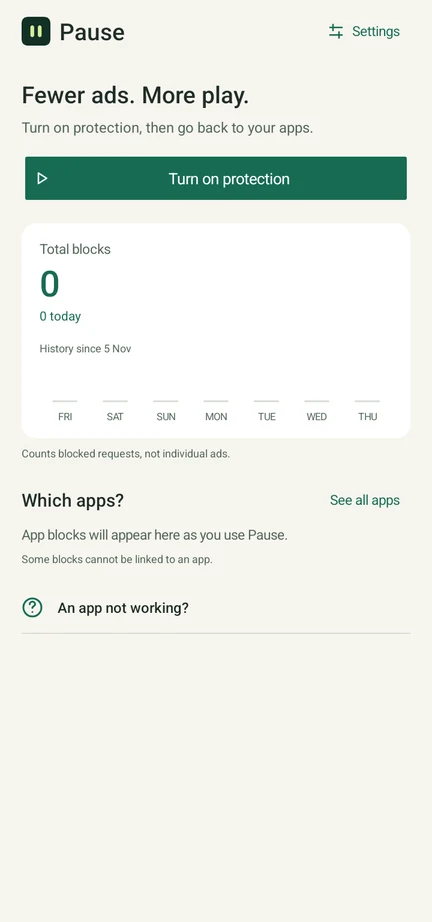
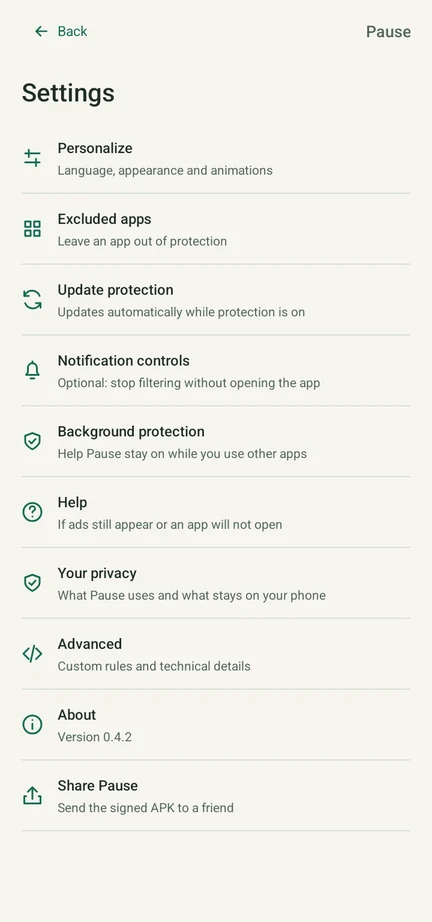
Home screenshot shared by a real user; other screens captured on an Android emulator. Counts are blocked requests, not individual ads removed. Your results will vary.
Protection that keeps up.
Ad-blocking lists update automatically while protection is on. No daily downloads to manage.
You're in control.
Want a reward video? Pause protection, watch it, then turn protection back on. You can also leave an app out.
Your phone.
Your trust.
An app that asks for access should tell you exactly why. Here's what you're giving Pause — and what you're keeping.
Read the security notesThe filtering happens on your phone.
Android calls it a VPN connection. Pause uses it to check ad-related requests locally. Your games and browsing aren't sent through a Pause VPN server.
No account. No tracking by Pause.
No analytics, ad SDKs or account to create. Your rules and statistics stay on your device. Pause doesn't read or decrypt your HTTPS content.
You can look under the hood.
The code is public. Official APKs are signed with the same release key, so Android can check that an update comes from the same publisher.
Where do allowed requests go?
Since 0.4.4, allowed domain lookups go to Cloudflare over encrypted HTTPS, with certificate checks and no unencrypted fallback. Cloudflare can see the domains and your public IP. Your network may still infer services from IPs and other traffic: Pause does not make you anonymous. Apps left out of protection and apps using their own DNS are outside this path. Lists download from GitHub over HTTPS.
What if encrypted DNS cannot connect?
Pause does not switch to unencrypted DNS. New lookups may fail until the connection recovers. You can pause protection to use your phone's normal connection again.
What permissions does it need?
You approve the local VPN through Android. Notifications are optional. No root, Accessibility service, HTTPS certificate, contacts or location access. Android allows one VPN at a time.
Is open source a security guarantee?
No. It lets anyone inspect, build and improve the code. Pause has local automated tests and documented device checks, but hasn't had an independent security audit. It's shared without a warranty. Download from this repository and keep Android's security checks enabled.
Your next game
is three steps away.
No account. No long configuration.
Just your phone and a moment to get started.
Download & install.
Open the APK on your Android phone. If asked, allow installation from the browser or app you used to open it. Keep Android's security checks on.
Turn on protection.
Open Pause and accept Android's VPN prompt. Follow the optional background guide to help your phone keep Pause running.
Go back to your apps.
After turning on protection, fully close your game and reopen it. This can help with ads loaded earlier; some may still remain.
A few things
worth knowing.
Will it block every ad?
No ad blocker can promise that. Pause works well with many separate ad services, but some apps serve ads and content together. YouTube and Instagram's built-in ads may remain. Some games may show an empty ad window, wait for an ad, or withhold a reward.
Is it really free?
Yes. No account, subscription or paid tier. It started as something I wanted on my own phone. Now the code and app are shared with the community under the GPLv3 license.
What does the download count mean?
It adds GitHub's download counts for the official Pause.apk across published, non-preview releases. Updates and repeat downloads count too. It doesn't measure installations or unique people, and copies shared directly between phones aren't included. If GitHub's statistics are unavailable, you can still download the app normally.
Can I use it on iPhone?
Pause is for Android 8 and later. The APK cannot be installed on iPhone. This website does not filter traffic itself.
What if an app stops working?
Tap Pause protection and try again. For a reward video, watch it while protection is off, then turn protection back on. The reward depends on the game. You can also exclude an app in Settings.
Do I need to leave Pause open?
You can use other apps while protection runs. If Android closes Pause to save battery or clean memory, filtering and list updates stop until you turn protection back on. The background guide explains what to check.
How do updates work?
Ad-blocking lists refresh about every 24 hours while protection is on. If a download fails, the previous list stays in place. App updates are separate: download the new APK and install it over the old one to keep your settings.
Can I use another VPN?
Android supports one active VPN at a time. Another VPN replaces Pause. Don't enable Android's “Block connections without VPN” option: Pause filters domain lookups, while ordinary traffic uses your regular connection. An app's own encrypted DNS can bypass the filter.
Built out of
“enough with the ads.”
I wanted to enjoy a game without an ad taking over every few moments. So I built Pause for myself: one button, clear choices, and no account to get in the way.
It worked well for the games I tried. Sharing it felt like the obvious next step. Try it, read the code, tell me what breaks, or make it better for everyone.
Matteo, the developerGive your apps
a little Pause.
Free & open source · Android 8+
Signed APK · Version 0.4.4